Messages and Progress
Telling people what happened, asking for a file in a dialog and showing how far along something is.
Flash Messages App
The result of what someone just did, shown once: "You're in line: 3 people ahead of you," or what went wrong. A tinted box with a colored rule at the left: green when it worked, red when it didn't and gold for something to know that's neither, such as a deadline or a change that came with it.
- After a form sends someone to a new page, put it at the top of the page's content, above everything else, and show it only that once.
- For an error in one place, such as a dialog or one part of a form, put it right there.
-
Use
role="alert"on a message that appears without a page load, so screen readers announce it. - Not for standing notices that everyone should see, such as who a page is for: those are announcements, the template's full-width color bands. An aside within a page's content, such as a tip or a warning, is a callout.
cmu-flash, cmu-flash--success,
cmu-flash--notice, cmu-flash--error
CMU's red alert bar at the very top of the page (#campusAlert) is for
campus emergencies. Don't use it for an app's messages.
Dialog App
A question that needs an answer before anything else, such as confirming something
that can't be undone, in a box over the page. Use the native
<dialog> element with showModal(); the browser handles
focus, Escape and the backdrop. Put the buttons in a
method="dialog" form, so either one closes it and the app can read which.
- Say what will happen in the heading and on the main button: Remove the Syllabus?, then Remove Syllabus, not Yes.
-
Cancel is a ghost button after the main one. In a form that checks
its fields, give it
formnovalidate, so it closes even with a required field empty. -
A form in a dialog works the same way; see the
file drop zone and the
ID tap. Inside a dialog, the
hiddenattribute works on anything, including buttons.
cmu-dialog, cmu-dialog-buttons
Error Pages CMS
When a page can't be shown, say what happened in plain words and give people a way forward, inside the usual header, navigation and footer. Send the real HTTP status with the page, so browsers, search engines and monitoring see the error too.
- 404, Not Found: The address is wrong or the page moved. Offer the home page and the site's search, or its main list.
- 500, Something Went Wrong: The problem is on your end, so say so. Offer to try again, and say who to contact if it keeps happening. Serve it as a plain file the web server can send even when the app is down.
- 503, Down for Maintenance: Say when it will be back, in AP style: "until 6 p.m. Eastern." The web server sends this one too.
- 403, No Access: The user is signed in, but the page isn't for them. Say who it's for, not what's on it, how to get access if they should have it and where to go instead. Someone who isn't signed in yet should get the Sign In box instead.
- Keep codes and details out of the heading. The number can go in small text at the bottom, for anyone reporting it; stack traces and server messages belong in the logs.
cmu-lead, cmu-cta-row, cmu-muted
We Can't Find That Page
The page may have moved, or the address may have a typo.
Check the address, or start again from the home page.
Error 404
Something Went Wrong
This page didn't load because of a problem on our end, not anything you did.
Try again in a few minutes. If it keeps happening, email the team with the page's address and what you were doing.
Error 500
You Don't Have Access to This Page
This page is for department administrators.
If you should have access, email the registry team with your Andrew ID and your department, and we'll add you.
Error 403
Progress Bars App
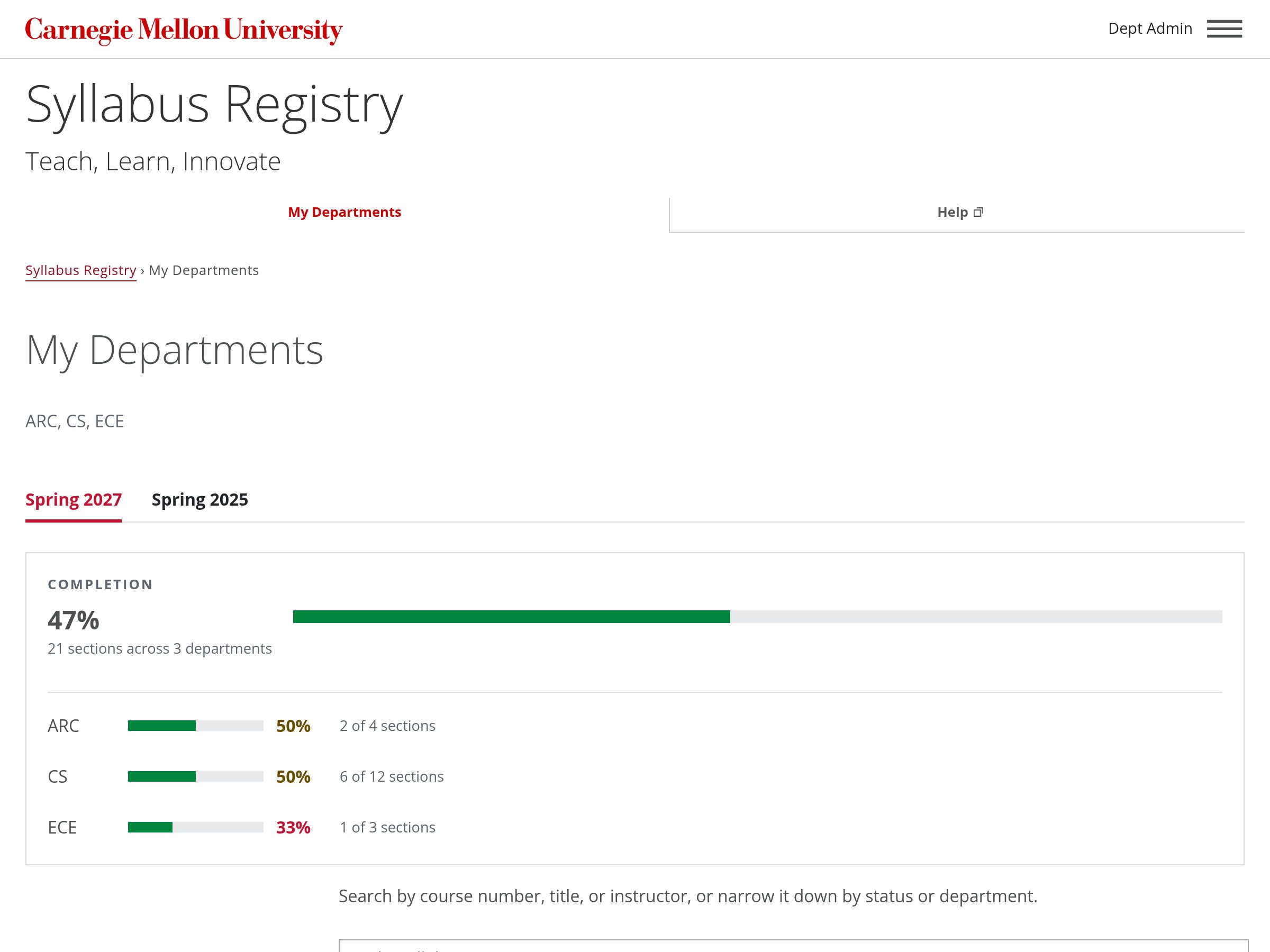
A headline number with a bar, and optional per-item rows below it. Set a bar's width with an inline style on a div (the template strips inline styles from spans). Color the percentage by how far along it is.
cmu-stat, cmu-stat-value, cmu-stat-sub,
cmu-meter, cmu-pct with --high,
--mid, --low, cmu-breakdown
- ARC90%
- CS55%
- ECE20%
In use, on a page for someone who looks after three departments:
Progress Through Steps App
How far someone is through a training, a course or a task that takes several sittings,
step by step. A red box at the top of the sidebar gives the name and a progress bar;
under it, each step is done, current or not started, with a marker on the right. Mark
the states in words too, for screen readers: a hidden "Done:", "Current:" or "Not
started:" before each name (sr-only), and
aria-current="step" on the current step's link. A step that can't be
opened yet is a <span> instead of a link. On phones the template
puts the sidebar under the content, so say where people are at the top of the content
too, such as "Step 3 of 6."
cmu-outline, cmu-outline-done,
cmu-outline-current,
cmu-meter--full
Step 3 of 6
Office Hours
The step's own content goes here, beside the steps.